Line Perfect
Learn your lines out loud

A scene partner that listens to every word.

Paste your script. Pick your role. The other roles read their lines, each with a face and a voice of its own — then it is your turn, from memory. Line Perfect listens on your iPhone and shows which words you matched, which you changed and which you skipped.

Coming soon to the App Store See how it compares Pricing

iPhone · iOS 18 or later

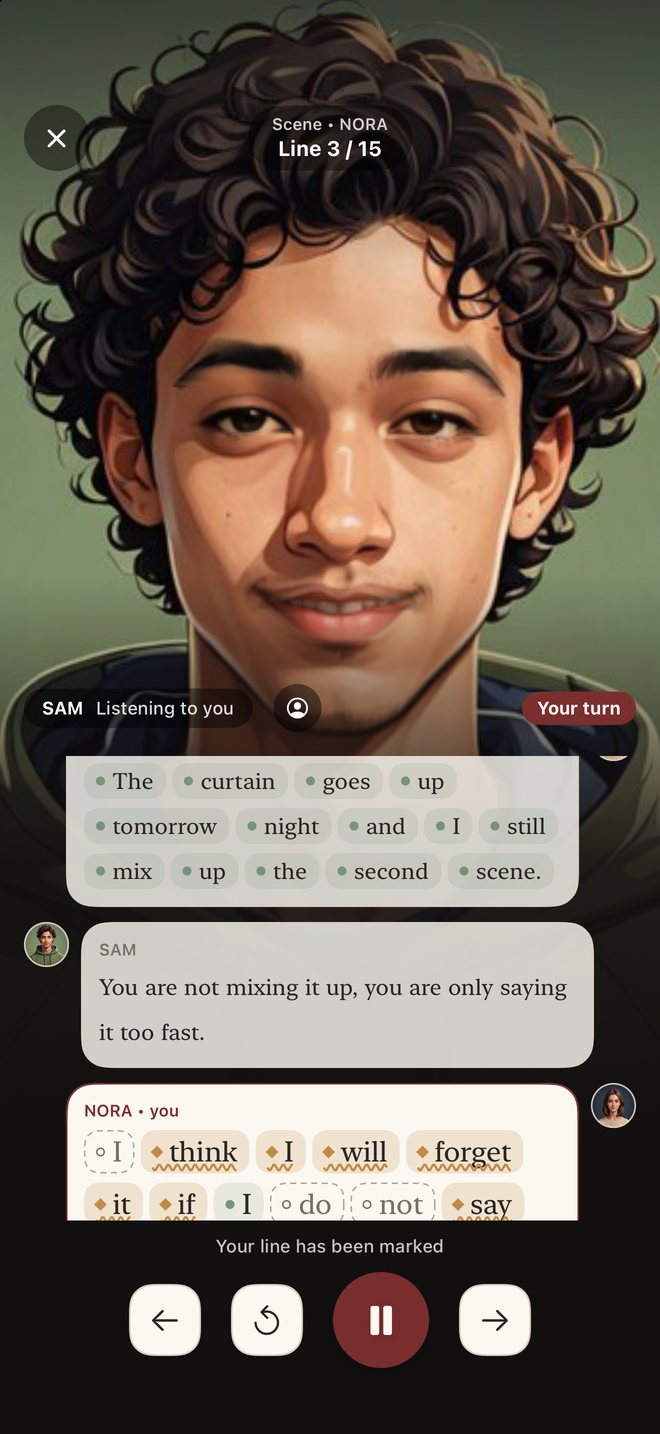
Line Perfect screenshot: Your turn: your partner listens while your words are marked as you say them. Line Perfect screenshot: After a line: what matched, what you said instead, what you skipped.

What it does

Built for actors learning lines; just as useful for a speech, a poem or anything else you need to know by heart.

Bring your own text

Paste it, open a .txt, .md or PDF file, or photograph the page. Scanned PDF pages and photos are read on the device. Nothing you add is uploaded.

Acts, scenes, roles and stage directions

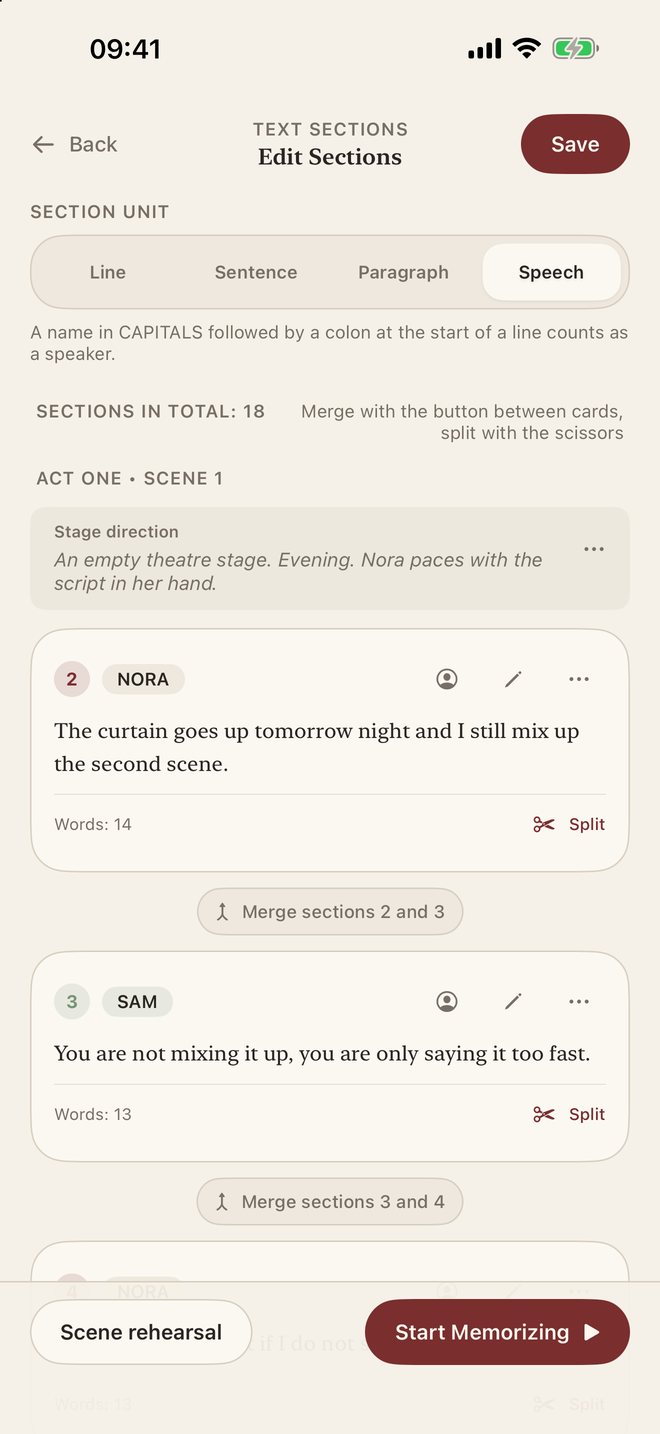
Headings such as ACT ONE, SCENE 2 or INT. KITCHEN – NIGHT become scenes. Character names become roles. Stage directions are set aside: shown, never recited. Anything it gets wrong you can fix by hand.

A face and a voice for every role

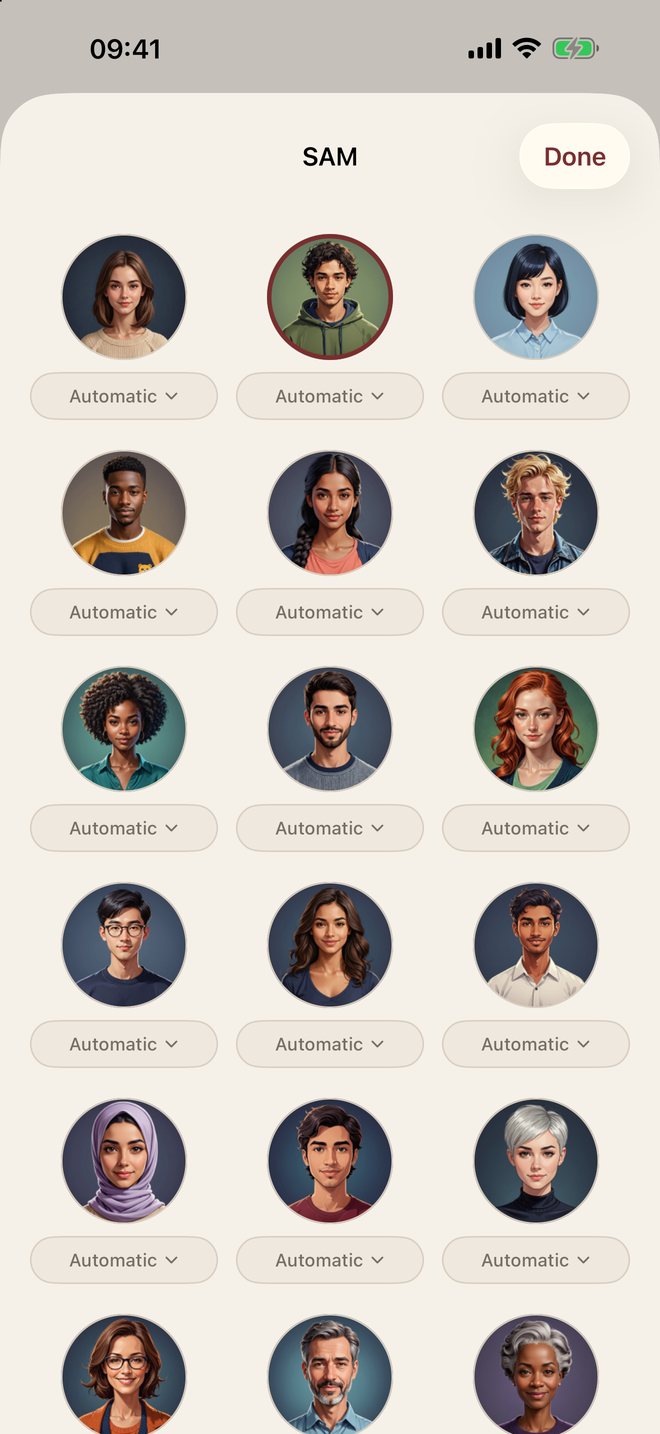
Give each role one of twenty faces. While its line is read the face speaks; when it is your turn it listens. Each face keeps the voice you choose for it.

It listens, then marks every word

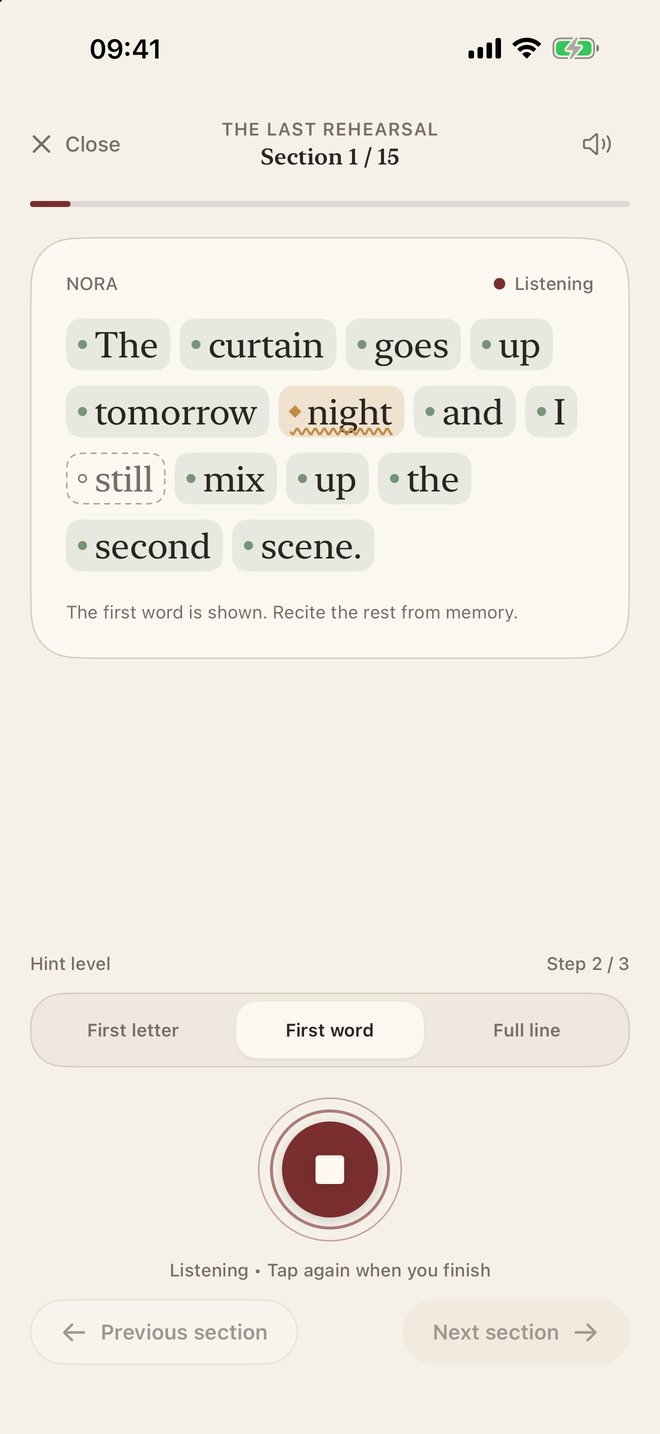
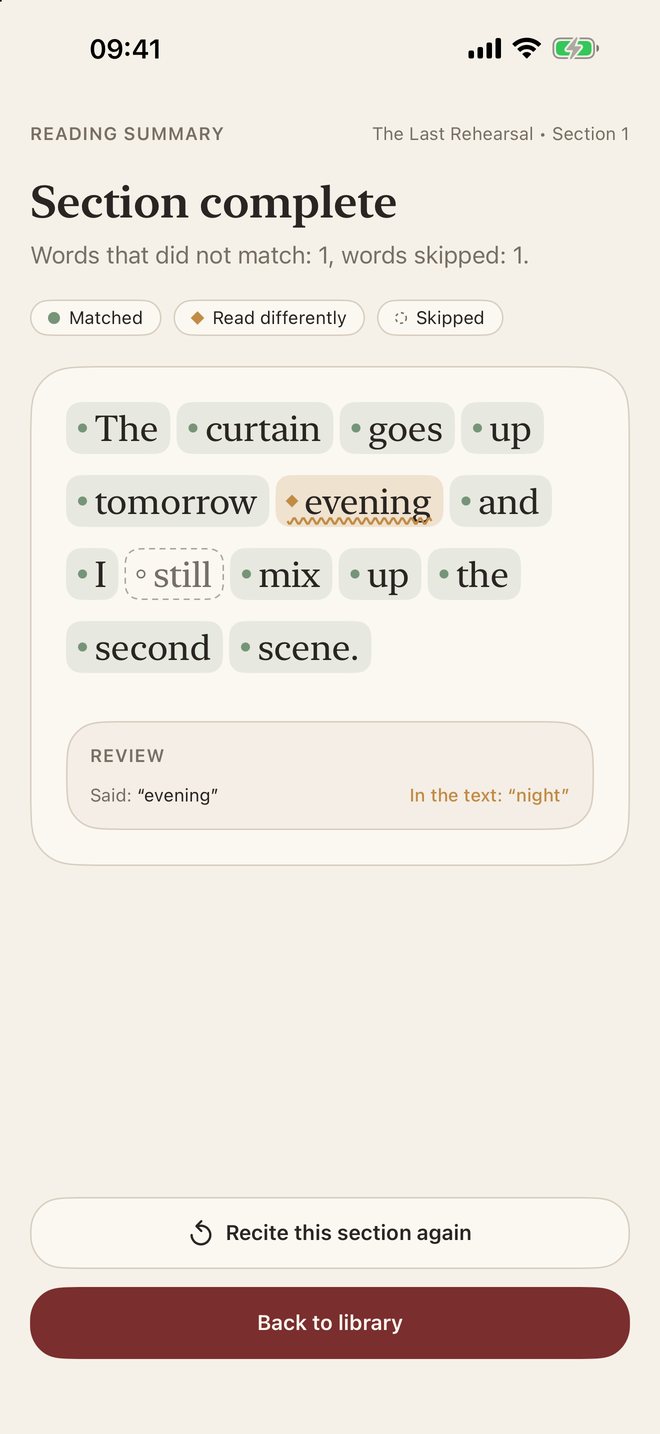
Recite your line from memory. Each word comes back as matched, read differently or skipped — with what you actually said next to what the text says.

Hints in three steps

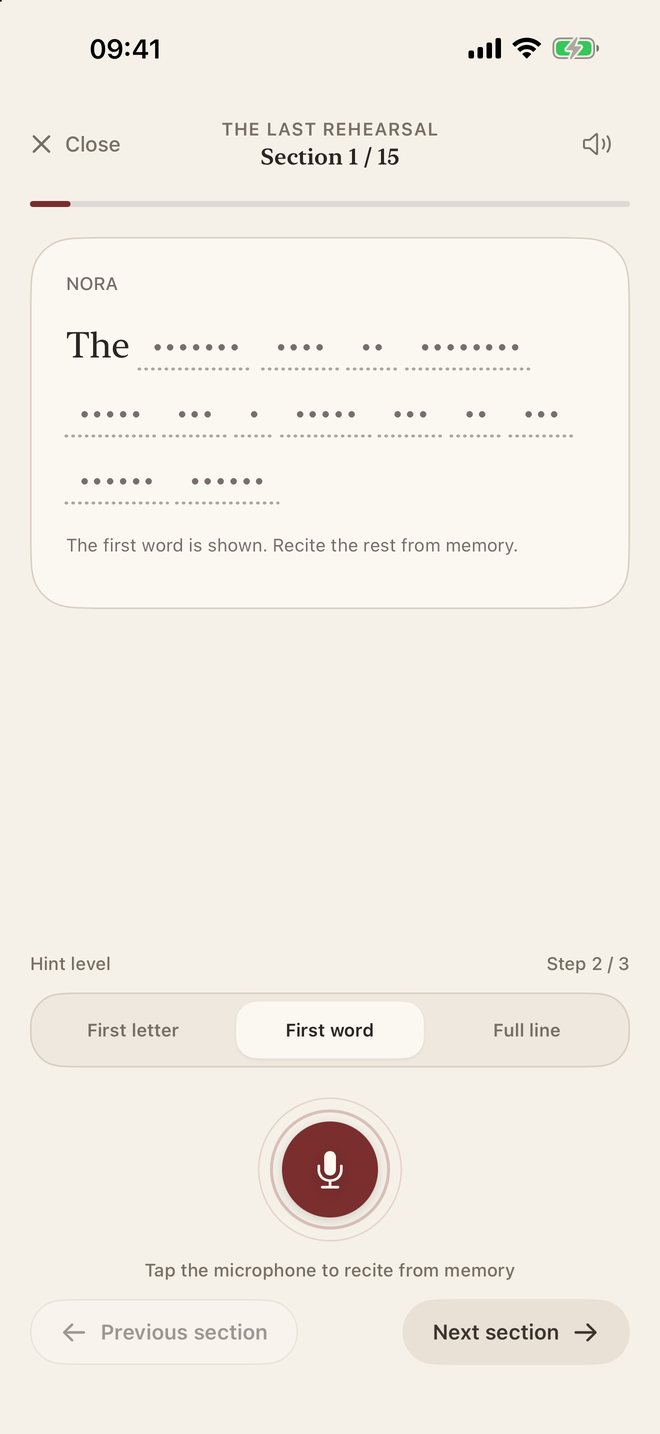
First letters only, the first word of the line, or the whole line. Start with help and take it away as the scene settles in.

Weak lines come back sooner

Spaced repetition (the SM-2 schedule) builds today's practice list from your own results: the lines you stumbled on return within days, the solid ones wait longer.

Hear it read

Listen to any line with word-by-word highlighting, at your speed, on repeat. Natural voices are available in eight languages as an optional download; system voices cover the rest.

Progress without streaks

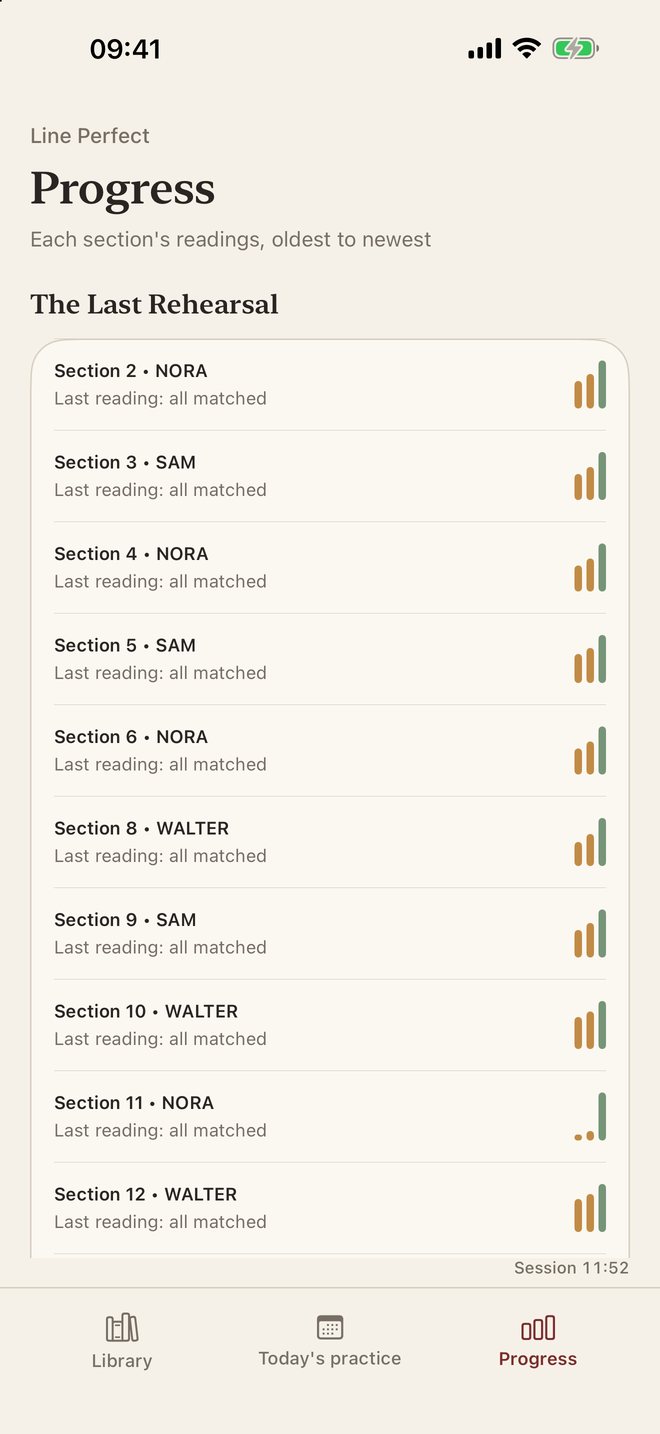
Every section keeps its readings from oldest to newest, with the words you miss most often. No badges, no streaks, no single score pretending to be the truth.

Headphone mode

With headphones in, it keeps listening while your partner's line is still playing — so coming in early does not cost you the start of your line.
How a rehearsal runs

Add the script

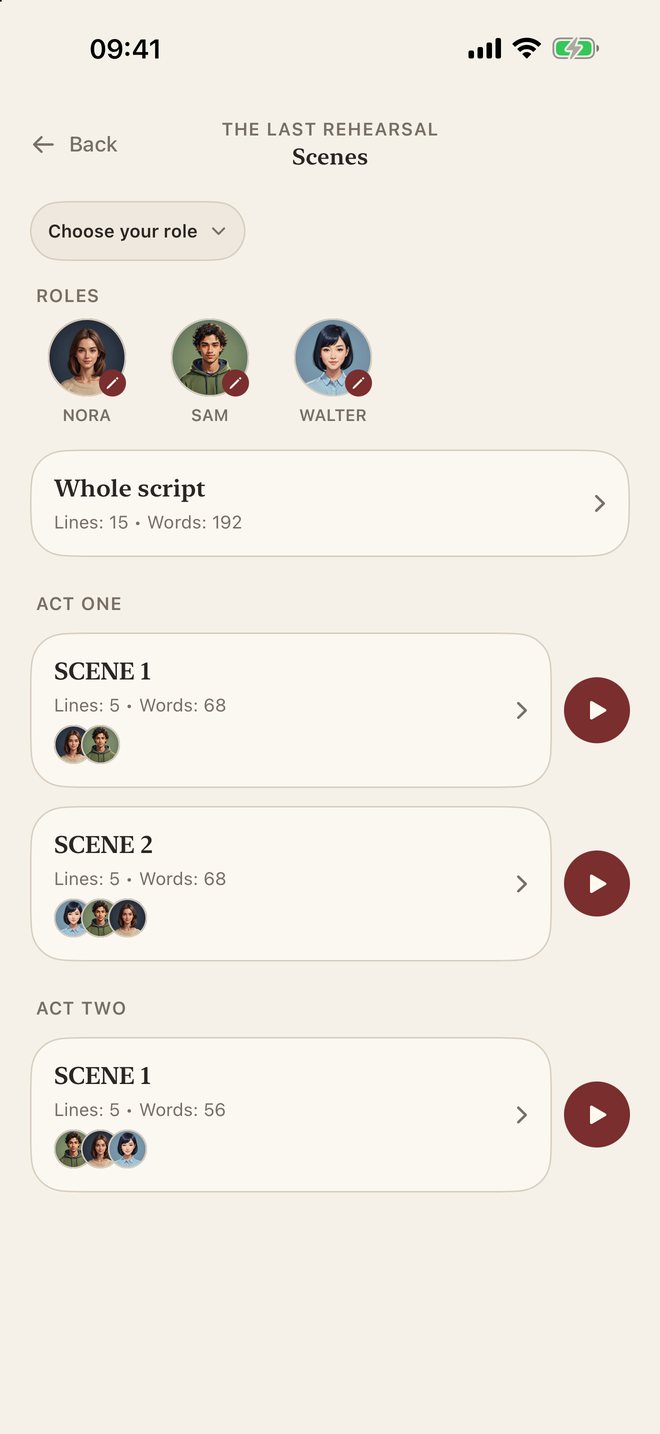
Paste, import or scan. The scene list appears with the cast of each scene.

Choose who you are

Pick your role once per script. Change any role's face or voice whenever you like.

Run the scene

Your partners read, you answer from memory, the app marks your line and moves on by itself.

Come back tomorrow

Today's practice lists the lines that are due, the shakiest first.

The app, as it is

Unedited screenshots from the iPhone app, with the sample script that ships inside it.

Line Perfect screenshot: A play split into acts and scenes, with the cast of each one.
A play split into acts and scenes, with the cast of each one.
Line Perfect screenshot: Your turn: your partner listens while your words are marked as you say them.
Your turn: your partner listens while your words are marked as you say them.
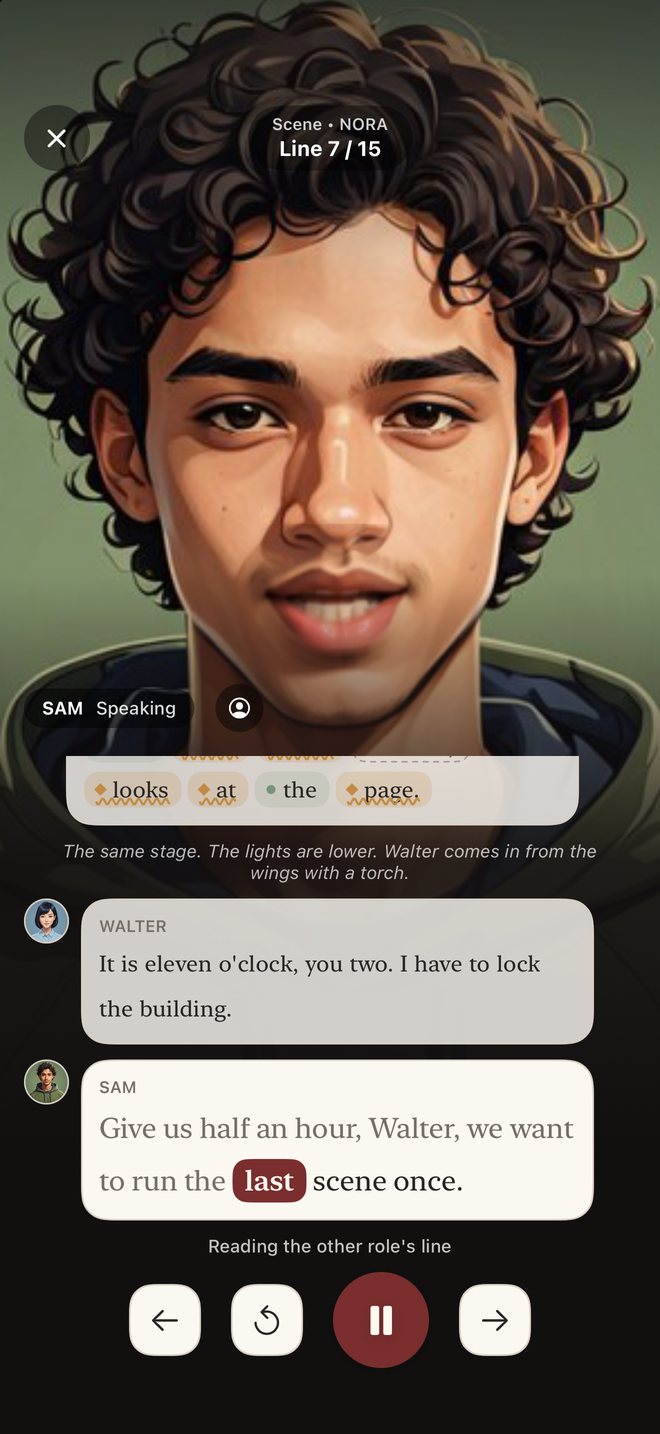
Line Perfect screenshot: A partner's line, read aloud and highlighted word by word.
A partner's line, read aloud and highlighted word by word.
Line Perfect screenshot: Twenty faces; each keeps the voice you pick beneath it.
Twenty faces; each keeps the voice you pick beneath it.
Line Perfect screenshot: Practising alone: the line is hidden behind a hint level.
Practising alone: the line is hidden behind a hint level.
Line Perfect screenshot: Listening: words open up, marked, as you reach them.
Listening: words open up, marked, as you reach them.
Line Perfect screenshot: After a line: what matched, what you said instead, what you skipped.
After a line: what matched, what you said instead, what you skipped.
Line Perfect screenshot: Every line and stage direction can be corrected by hand.
Every line and stage direction can be corrected by hand.
Line Perfect screenshot: Readings per section and the words you miss most.
Readings per section and the words you miss most.

What it measures — and what it does not

It measures whether the words you said match the words in your text. That is all. It does not judge your acting, your timing or your delivery, and it never claims you have “memorised” something — it tells you how many words did not match, and which.

Speech recognition makes mistakes. Sometimes you said it right and the app heard it wrong, especially with names, accents and background noise. Treat a marked word as a place to look again, not as a verdict.

The other roles are read by text-to-speech voices. They give you your cue reliably; they are not actors.

How it differs from other line-learning apps

Most apps in this field either play the other parts and wait, or listen only for your cue word. A few newer ones listen properly. Here is where we stand — including what we do not have.

What sets it apart

  • Word-by-word marking of what you said, not just “line done”.
  • Spaced repetition built from your own mistakes.
  • Everything on the device: no account, no upload of your script or your voice.
  • A face and a chosen voice for each role.
  • An interface in 22 languages.
  • $0.99 a month — a fraction of what subscription scene partners charge.

What it does not do

  • No Word, Final Draft or Fountain file import yet: pasted text, .txt/.md files, PDFs and photo scans only. PDFs are read as plain text — the page layout is not kept.
  • No self-tape recording and no teleprompter.
  • No sharing with your cast and no recording of real partners' voices.
  • Voices are text-to-speech, not recorded actors.
  • iPhone only. No iPad layout, no Android, no Mac.
  • Script structure is detected by rules, not by an AI model; unusual layouts need hand correction.

At a glance

AppListens to youWord-level feedbackSpaced repetitionPDF importSelf-tape / teleprompterPrice
Line PerfectYesYes — every wordYes — SM-2Yes, incl. scansNo$0.99 / month
Rehearsal ProNoNoNoYesTeleprompter$19.99 once
coldReadCue word onlyNoNoNoBoth$10.99 / month
Script RehearserNoNoNoText PDFsNo$7.99 / year
LineLearnerNoNoNoDisplay onlyNo$3.99 once
Off Book! ProNoNoNoYesNo$2.99 + LineSync
tablereadNoNoNoYesNo$2.99 / month
Scene StudyNoNoNoNoNo$2.99 once
LinusFor your cueNoNoNot statedBoth$9.99 / month
SlatableYesNoNoYes, incl. scansBoth$4.99 / month
CounterpartCue wordNoFlashcardsYes, incl. scansNo$6.99 / month
OffBook StudioFor your cueNoNoYesBoth$10.99 / month
Cue LineYesYes — missed wordsMastery decayYesNo$6.99 / month
HitCueYesLive highlightingNoYesNo$6.99 / month
MemoCoachNoNoNoYesNoIn-app purchases
Memorize By Heart“Speak” gameNoYes — remindersPaid add-onNo$4.99 / month

About this comparison: the information on each app comes from its public App Store listing and website as they appeared on 11 October 2026. We have not tested each app ourselves, apps change, and listings can be incomplete — check the developer's own page before deciding. Prices are US App Store prices on that date. each app is the property of its owner; we are not affiliated with it. If something here is wrong, write to info@caliptic.com and we will correct it.

All comparisons →

Pricing

Nothing is locked: every feature works in the free version. The subscription removes the session limit.

Free

$0

Every feature, with 12 minutes of practice in any 30 minutes.

Monthly

$0.99 / month

No session limit. The first 7 days are free.

Best value

Yearly

$9.99 / year

No session limit. The first 7 days are free. About 16% less than twelve monthly payments.

Prices in US dollars; the App Store shows your local price. Subscriptions renew automatically until cancelled in your App Store account settings.

Your script stays on your phone

Your texts are stored on the device and are not sent to any server. Your voice is turned into text on the device. There is no account, no advertising and no tracking. The only downloads are optional speech models, fetched once.

Read the privacy policy →

Questions

Does it work without an internet connection?

Yes, once the speech models you need are on the phone. Recognition, marking and the voices all run on the device.

Which languages can I rehearse in?

The interface is in 22 languages. Listening uses Apple's on-device recognition where your language has it, and an on-device Whisper model (a one-time 133 MB download) where it does not. Natural reading voices exist for eight languages; other languages use the system voices on your iPhone.

Can I import a PDF or a Final Draft file?

PDFs, yes: typed PDFs are read directly and scanned pages go through text recognition on the device. Final Draft and Word files are not supported yet — export them as PDF or text first.

Can I use it for something other than a play?

Yes. Poems, speeches, verses and presentations work the same way, section by section, without roles.

What happens when the free session ends?

Practice pauses until the 30-minute window is over. Your texts and results stay where they are.